Basic Rules
- Your score depends on two things: getting answers right and how fast you answer
- Getting answers right makes your accuracy score better
- Answering faster gives you bonus points that make your total score higher
- We track time very precisely, so even small differences in speed matter
- While we check timing on both your device and our servers, only the server timing counts
- We account for network latency on every question - check our Mitigations page to learn more
- When you pause a quiz, we stop counting time until you resume
- Question timing starts when the server sends the question and ends when the server receives your answer
Final Score
7466.667
Desktop recommendations
Familiarise yourself with the flow of a question/answer unit in the quiz.
Take a mock quiz to get a feel for the timing.
Learn all the keyboard shortcuts. This is the fastest way to navigate and answer questions.
Keyboard shortcuts are clearly indicated for each control during a quiz, below is an exhaustive list:
- A Show Answers
- 1 Choose option 1
- 2 Choose option 2
- 3 Choose option 3
- 4 Choose option 4
- S Submit and Continue
- P Submit and Pause quiz
Mobile recommendations
Familiarise yourself with the flow of a question/answer unit in the quiz.
Take a mock quiz on your device to get a feel for the timing.
The fastest way to navigate and answer questions is using both hands, with one on the answer selection area, and the other on the navigation buttons area at the bottom of the screen
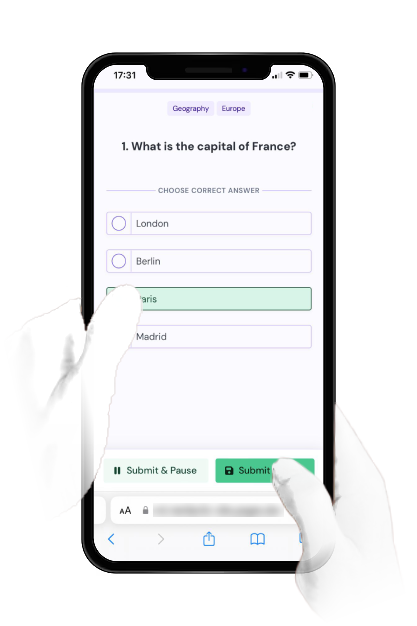
Here is a mock quiz to help you get a feel for how quizzes work.
If you haven't already, it is highly recommended you take this.